Training Parameters
Splatware provides multiple training pipelines optimized for different project sizes and artistic or technical goals. This guide explains every available training parameter — from quick browser-based conversions to large-scale cinematic models trained on our GPU servers.
Each model class offers different controls. Some are fully automatic, while advanced workflows allow for fine-grained control over quality, segmentation, or cubemap processing.
Lite Model
This model is fully automatic and requires **no parameters**. Ideal for everyday users, quick previews, and simple captures where speed matters more than configurability.
- Fastest training pipeline
- No adjustable settings
- Great for mobile uploads and small scenes
- Automatically optimized for size and viewing performance
Cinematic Model
Designed for high-fidelity renderings with deep detail. Ideal for films, products, and large-scale creative projects.
Target Gaussians Count
Defines the final density of the splat cloud. Higher values produce more detail but require more memory and training time.
- 200k → 400k
- 400k → 800k
- 800k → 1.2M
- 1.2M → 1.6M
- 1.6M → 2.0M
- 2.0M → 5.0M
Training attempts to reach the target density during optimization.
Ideal for isolated objects, turntable captures, or product photography. Provides AI-powered or manual segmentation for precise object-focus reconstruction.
Segmentation Mode
- Auto: The system automatically detects and isolates the main object using AI.
- Manual: Users manually place keypoints on the uploaded media to define the target object.
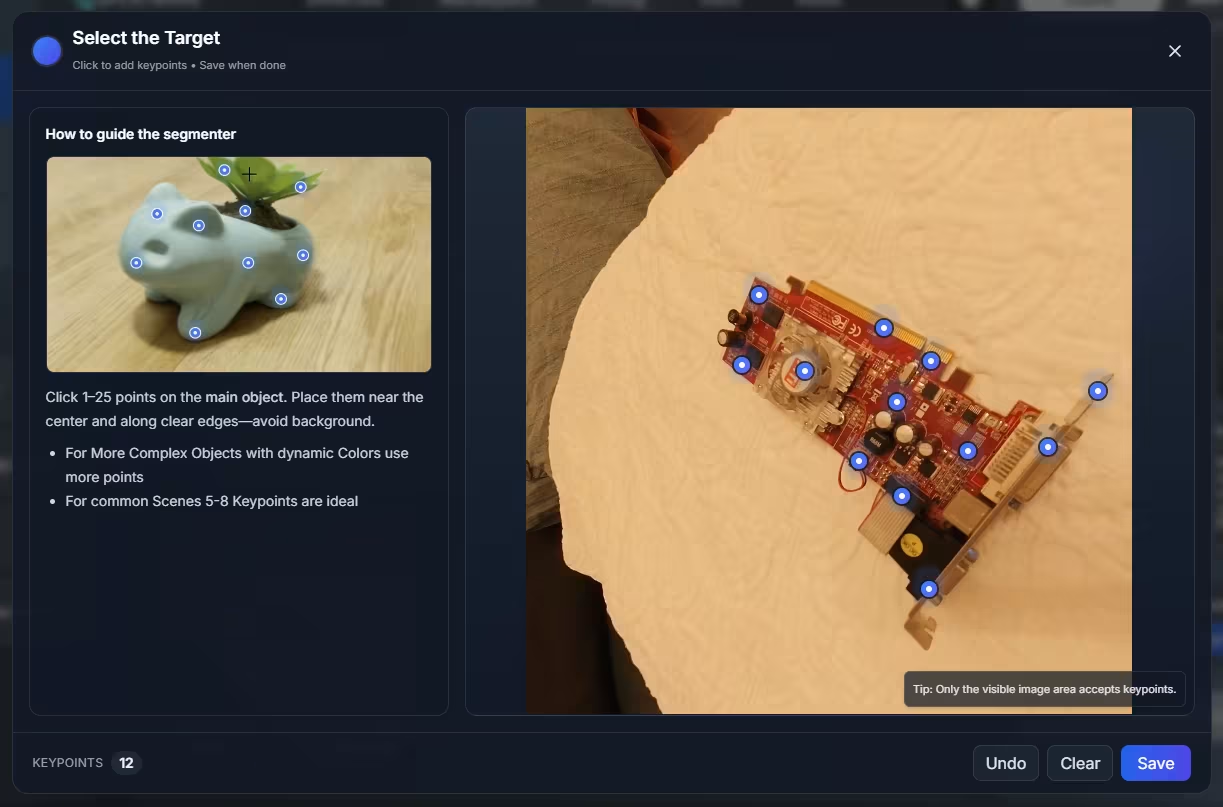
Target Gaussians Count
- 200k → 400k
- 400k → 800k
- 800k → 1.2M
- 1.2M → 1.6M
- 1.6M → 2.0M
- 2.0M → 5.0M
Tailored for indoor and outdoor 360° captures using equirectangular or 360-camera footage. Supports extremely large environments such as buildings, streets, or landscapes.
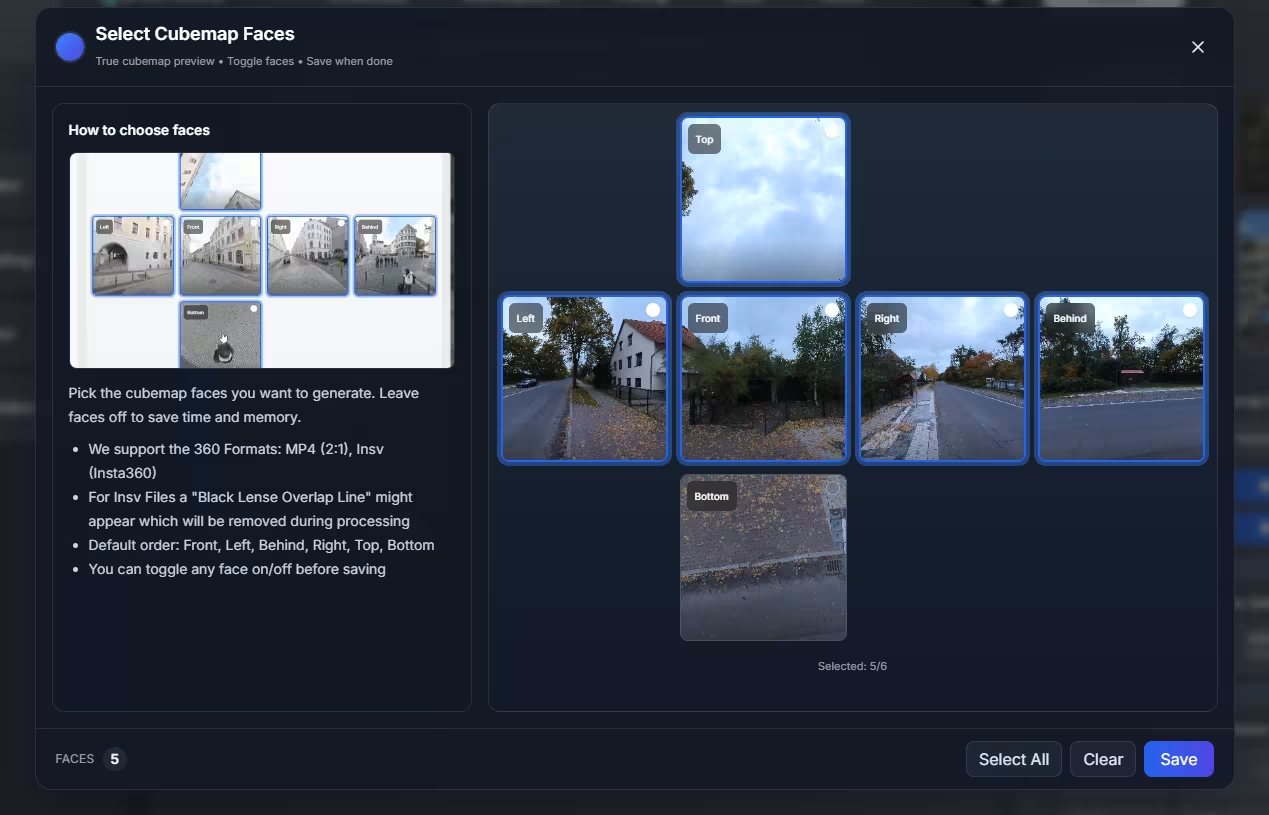
Select Cubemap Faces
Choose which faces are included in processing to avoid unwanted areas (e.g. tripod, selfie stick, ground operator).
- Front
- Left
- Behind
- Right
- Top
- Bottom
Scene Settings
- 0–400m (Normal): Uses fewer images, ideal for smaller environments. Highest accuracy.
- 400m–2km (Ultra Large): Designed for massive open spaces using a new alignment approach. Provides extremely large coverage at the cost of slightly increased geometric error.
Target Gaussians Count
- 200k → 400k
- 400k → 800k
- 800k → 1.2M
- 1.2M → 1.6M
- 1.6M → 2.0M
- 2.0M → 5.0M
PLY / SPLAT Upload Parameters
Quality (Compression Level)
- Fast: Near-lossless, recommended default.
- Balanced: Optimized for size and runtime.
- Ultra: Maximum compression — may take significantly longer.
Spherical Harmonics Degree
- SH0
- SH1
- SH2
- SH3
GLB / FBX Upload Parameters
Splatware supports converting mesh files into Gaussian Splats using either instant browser-side processing or high-quality cloud training.
Processing Mode
- Instant Access:Fastest option — processed directly in the browser using SH0 only.
- Gaussian Density: Low / Medium / High / Ultra High (Beta)
- SH Level: SH0 only
- Best for quick previews or simple textured models
- Quality Training:Processed on our GPU servers for maximum fidelity with full SH3 lighting.
- SH Level: SH3
- Longer training time
- Ideal for complex models or commercial use
Target Gaussians Count
- 200k → 400k
- 400k → 800k
- 800k → 1.2M
- 1.2M → 1.6M
- 1.6M → 2.0M
- 2.0M → 5.0M
Recommended Defaults
- Lite: No configuration needed — perfect for fast usage
- Cinematic: 800k–1.2M splats for balanced detail
- Segmentation: Auto mode for most objects
- Panoramic: Enable only the necessary cubemap faces
- PLY/SPLAT: “Fast” quality + SH1 or SH2
- GLB/FBX: Instant Access for previews, Quality Training for best fidelity
Choosing the right parameters ensures the perfect balance between processing speed, visual detail, file size, and system performance.