Splatware
Real-time 3D Gaussian Splatting

Next-Gen 3D Gaussian Splatting Model Generation

Create ultra-optimized Gaussian Splatting models from images, videos, or scans. Train in the cloud, edit your .splat files, and stream interactive 3D Gaussian splatting experiences on the web, mobile, and XR—without code.

No-code gaussian splatting pipelineReal-time WebGPU/WebGL streamingExport .splat / .plyPhone, DSLR, drone footageFast cloud training

Explore 3D Gaussian Splatting Model Types

Choose the best pipeline to create Gaussian splatting assets from images or video. Every option outputs a real-time 3D Gaussian Splatting (.splat) file ready for the web and XR.

LiteV1 Model

Free

Free and fast 3D Gaussian Splatting model generation for quick previews, web sharing, and lightweight .splat output.

Training~5 minutes
OutputLightweight .splat optimized for web viewing
Size≈ 6–12 MB typical
Best for: First tests, quick captures, mobile-friendly previews

LiteV2 Model

Free

The improved free Gaussian Splatting model with better stability, cleaner detail, and stronger results for everyday captures.

Training~8-12 minutes
OutputBalanced .splat with improved detail
Size≈ 10–25 MB typical
Best for: Creators who want better free quality without long training times

Cinematic Model

Included in plans

Premium Gaussian Splatting generation for product hero shots, real-estate showcases, film-style movement, and polished visual storytelling.

Training~30 minutes
OutputHigh fidelity .splat with cinematic quality
Size≈ 40–120 MB typical
Best for: Ads, films, product showcases, virtual tours

Ultra Model

Included in plans

Maximum-quality 3D Gaussian Splatting model generation for complex scenes, high-detail scans, architecture, and production-ready outputs.

Training45+ minutes
OutputUltra-dense .splat with maximum detail
Size≈ 80–200 MB typical
Best for: Professional scans, large scenes, architecture, premium assets

With Splatware you can create Gaussian Splatting content from images or video and export real-time 3D Gaussian Splatting (.splat) files for the web, XR, and virtual tours—fast, consistent, and beautiful.

Model guide

Gaussian Splatting models for every capture workflow

Splatware now focuses on four clear 3D generation models: LiteV1, LiteV2, Cinematic, and Ultra. Segmentation, 360° capture, and Equi processing are handled as model settings, so creators can keep the model choice simple while still controlling advanced reconstruction behavior.

Free models

LiteV1 is the fastest free pipeline. LiteV2 improves detail and reliability while staying free for creators testing 3D Gaussian Splatting.

Included in plans

Cinematic is built for polished visuals and storytelling. Ultra is the maximum-quality option for professional scenes, dense detail, and premium output.

Segmentation and Equi are now settings

Object segmentation, 360° camera input, and equirectangular processing are no longer separate model cards. They are advanced settings inside the generation workflow, helping Google and users understand that the main model family is LiteV1, LiteV2, Cinematic, and Ultra.

For everyone

Upload, train, host, and share 3D Gaussian Splatting files

Start a new 3D Gaussian Splatting generation directly at /start, or upload and host existing .splat files at /capture. This gives every creator a simple path to train Gaussian Splatting models or publish interactive 3D splats on the web.

Train directly at /start

Upload photos, videos, 360° captures, or scans.

Create LiteV1, LiteV2, Cinematic, or Ultra Gaussian Splatting models from your browser with a no-code upload and training workflow.

Start Training Now

Host files at /capture

Upload, preview, publish, and share existing 3D splats.

Already have a Gaussian Splatting file? Use the free capture viewer and hosting flow to upload your .splat content and share it online.

Upload or Host Files

Splatware combines Gaussian Splatting model training, 3D splat hosting, and a browser-based viewer, so people can create new splats or publish existing Gaussian Splatting files without building custom infrastructure.

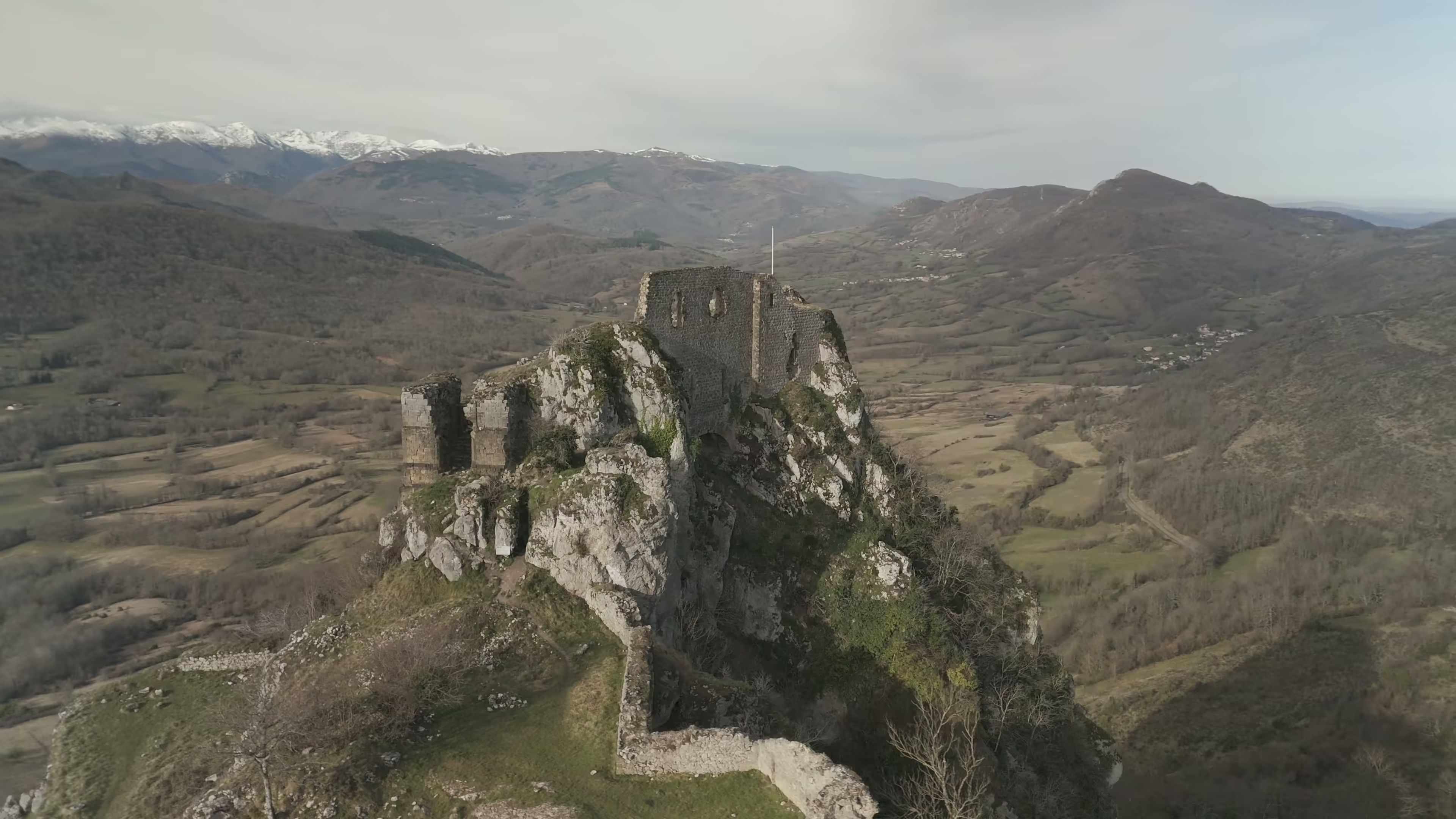
How It Works: From Upload to Real-time 3D Gaussian Splatting

1

Upload Photos / Video

Drop in high-quality imagery or video from your device or camera. Minimum 20+ for best 3D Gaussian Splatting model results.

2

Choose Model Type

Select LiteV1, LiteV2, Cinematic, or Ultra. Segmentation and 360° / Equi processing are now settings inside the model workflow.

3

Launch Project

Start the generation pipeline. Our 3D Gaussian Splatting training system runs in the cloud — fast and optimized.

4

Download .splat File

Export your photorealistic 3D splat model in .splat format for real-time web, AR/VR, and rendering workflows.

integration-1integration-2

Compatible Input Sources for 3D Gaussian Splatting

Capture with your phone, 360° camera, drone, or DSLR—or import existing scans. Splatware turns your media into real-time 3D Gaussian Splatting (.splat) models for web and XR.

Mobile Phones

Great for quick capture—handheld or gimbal. Perfect to create Gaussian splatting from video.

  • 4K/60fps video
  • Good light
  • Slow orbit

360° Cameras

Best coverage for large spaces and smooth 3D Gaussian Splatting reconstructions.

  • ≥5.7K video
  • Walk a loop
  • Avoid motion blur

Drones

Ideal for outdoors, façades, and roofs—dense splat coverage with stable flight paths.

  • Gimbal on
  • Side orbits
  • Overlap 70%+

DSLR / Mirrorless

High-quality photo sets for premium 3D Gaussian Splatting fidelity.

  • 24–36MP photos
  • Lock exposure
  • Uniform lighting

3D Scan Imports

Bring existing scans into Splatware to create or refine Gaussian splats.

  • PLY / OBJ / SPLAT
  • Centered origin
  • Clean bounds
Video: MP4, MOV (H.264/HEVC)Photos: JPG, PNG, HEIC, WEBPSets: 20+ images or 20+ seconds recommendedCapture Tips: slow orbit, even lighting, overlapOutput: real-time .splat (3D Gaussian Splatting)

Every workflow is optimized to create Gaussian splatting assets quickly and reliably, producing web-ready 3D Gaussian Splatting files with beautiful real-time rendering.

Compare 3D Gaussian Splatting Models

Choose between free Gaussian Splatting models for fast experiments and plan-included models for cinematic or ultra-detailed production output.

Features
LiteV1
Free
LiteV2
Free
Cinematic
Included in plans
Ultra
Included in plans
Access
FreeFreeCreator+Creator+
Training Time
~5 min~8-12 min~30 min45+ min
Resolution / Fidelity
Fast PreviewImproved FreeCinematicUltra Detail
Typical File Size
6–12MB10–25MB40–120MB80–200MB
Best For
Quick TestsFree CreatorsStudios / ToursProduction Scenes

Segmentation and Equi / 360° workflows are now settings within the current model pipeline. The model choice stays simple while advanced capture processing remains available.

Live Model Demos: Real-Time 3D Gaussian Splatting

Preview real-time Gaussian splatting (.splat) viewers—switch between LiteV1, LiteV2, Cinematic, and Ultra examples to see how 3D Gaussian Splatting reacts to different capture and fidelity settings.

Live 3D Gaussian Splatting

This live demo runs a real-time 3D viewer and can be heavy on your device.

Tip: For best results, capture steady footage with even lighting—then generate and preview your Gaussian splatting scene here in real-time.

Client 1Client 2Client 3Client 4Client 5Client 6Client 1Client 2Client 3Client 4Client 5Client 6Client 1Client 2Client 3Client 4Client 5Client 6

Frequently Asked Questions

Start Creating 3D Splats Today

Upload. Train. Share. It’s that easy.